한국어

A gym log
for real lifters

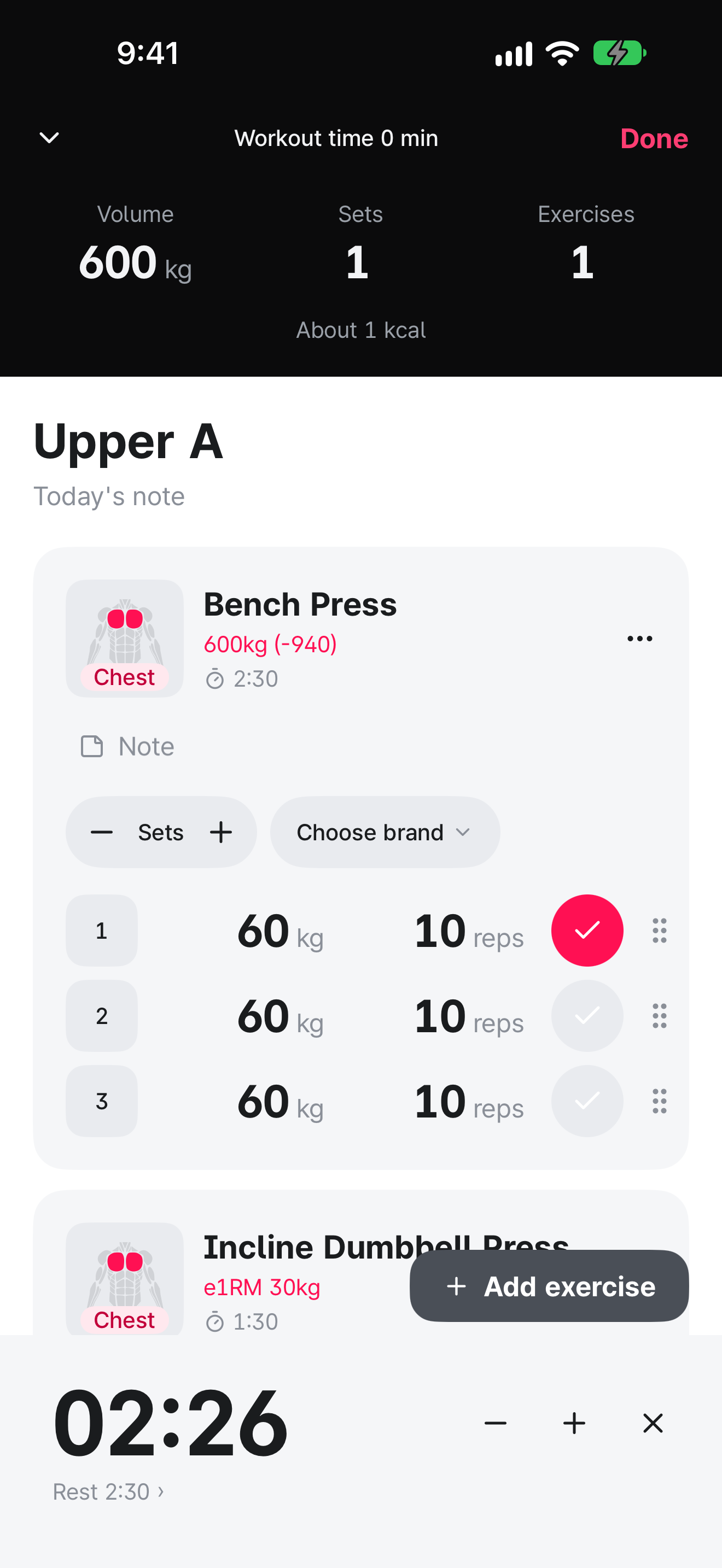
A log built for writing down sets and timing your rest.
No ads, no subscription, and no sign-up. Just open it and start.

Download on the App Store
Ads
0
Subscriptions
0
Uploads
0
Hellog app icon

Made with real gym-goers in mind

Every gym has different machines, and even for the bench press, some machines just fit you better.
Hellog keeps track of that difference too.

Rate brands and machines

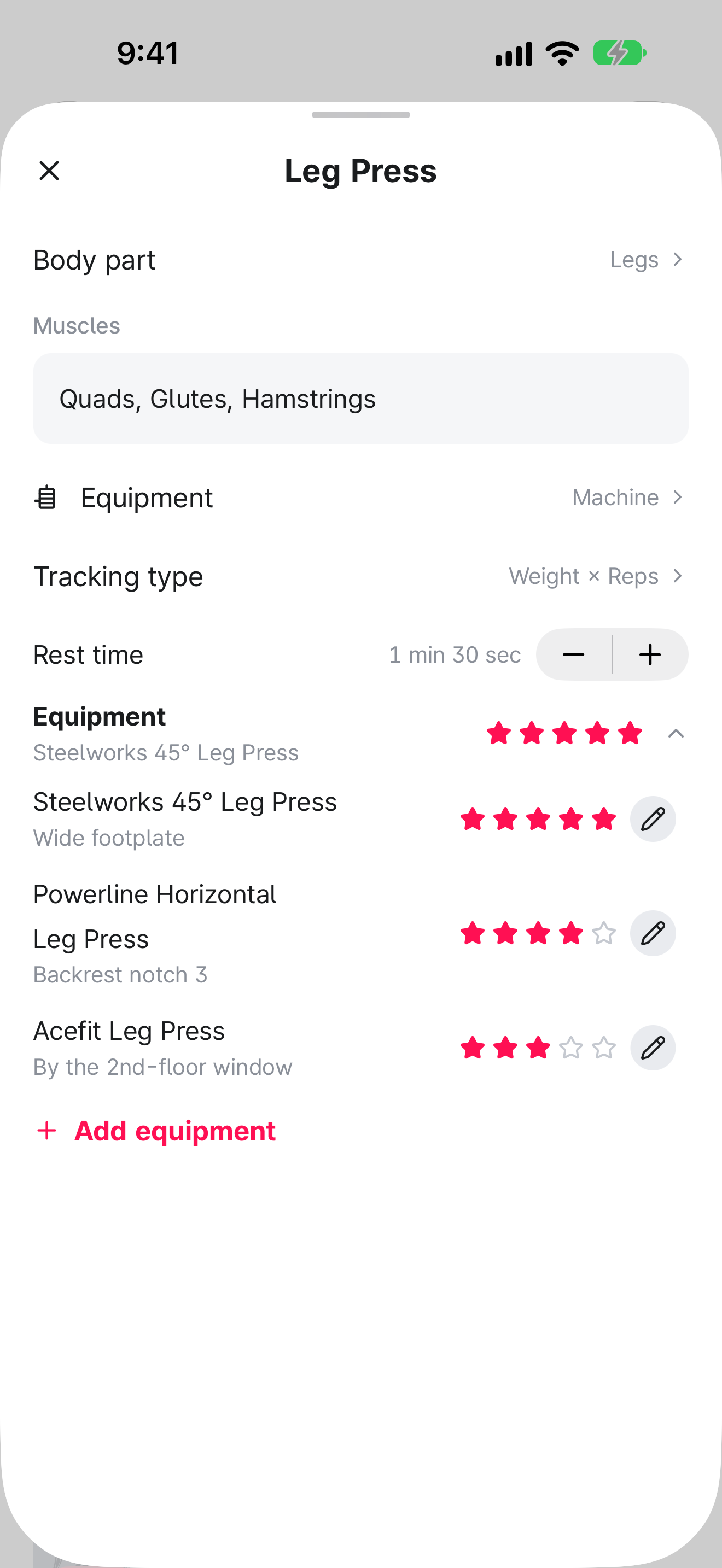
For each exercise, add the machines you've used with their brand and model, then give them a star rating and a note. The list puts your highest-rated machines first, and the ratings show up on the machine button during your workout. Save a machine in a routine and you'll start with it next time.
Create your own exercises

Type a name and pick the equipment, body part, muscles, and tracking type to create a new exercise. Your own exercises are logged just like the built-in ones.

Leg Press detail screen. Three leg press machines are listed with star ratings and notes, highest-rated first, each with a pencil button for editing.

Built so you can focus on the workout.

Your log stays on your phone,
and works without Wi-Fi.

  • Saved on your device instantly

    The moment you check off a set, it's saved on your phone. Even in a basement gym with a weak signal, your log never cuts out.

  • Sync with iCloud

    Turn on iCloud sync in Settings, and your log stays in sync across devices that use the same Apple Account.

  • No Hellog server

    There's no server collecting your log, so there's no sign-up or login. Even the developer can't see your records.

Support and contact

Stuck on something, want something fixed, or have a feature in mind? Send us an email.

hellog.support.official@gmail.com

How do I move my log to a new phone?

Turn on iCloud sync in the app's Settings on both devices and sign in with the same Apple Account. Your new device will show the same log.

iCloud sync won't turn on.

In iPhone Settings, check that you're signed in to iCloud and have iCloud storage left, then reopen the app.

I want to delete all my records.

Tap Erase all data in the app's Settings to delete all workouts, routines, body records, ratings, and custom exercises. This can't be undone.